
Discover our range of advanced racing telemetry devices designed to help you analyze and improve your performance.
Discover our range of advanced racing telemetry devices designed to help you analyze and improve your performance.
Welcome to our support center. Here you can find answers to frequently asked questions and guides on how to use our products. If you cannot find the answer you are looking for, please contact our support team.
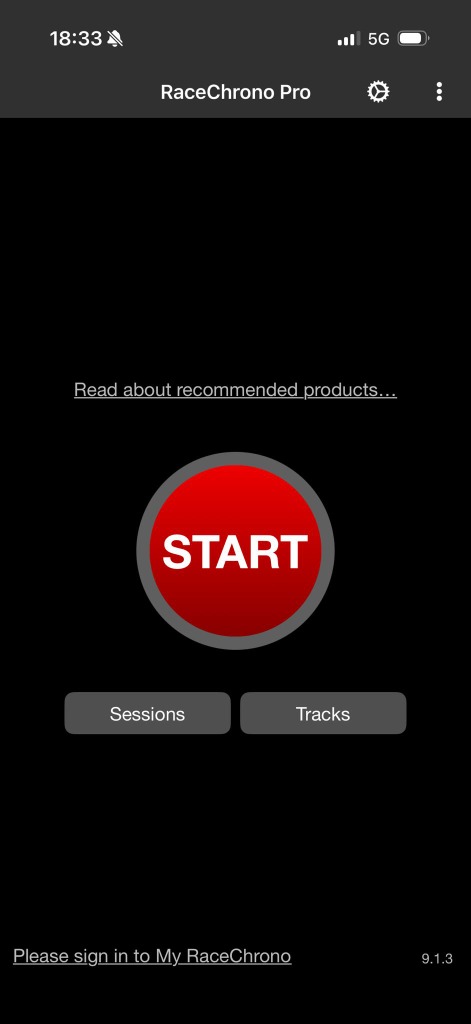
Step 1
Open RaceChrono and tapping the gear icon to enter Settings.
Step 2
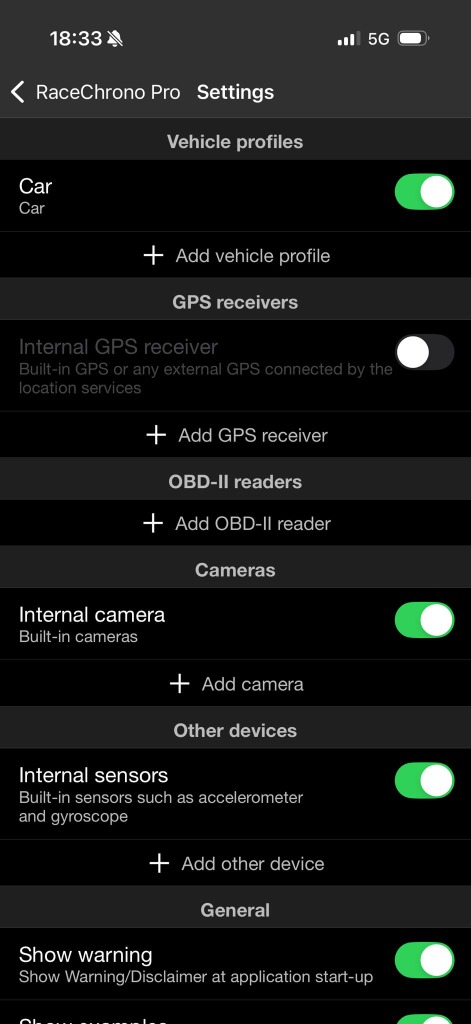
Tap Add other device.
Step 3
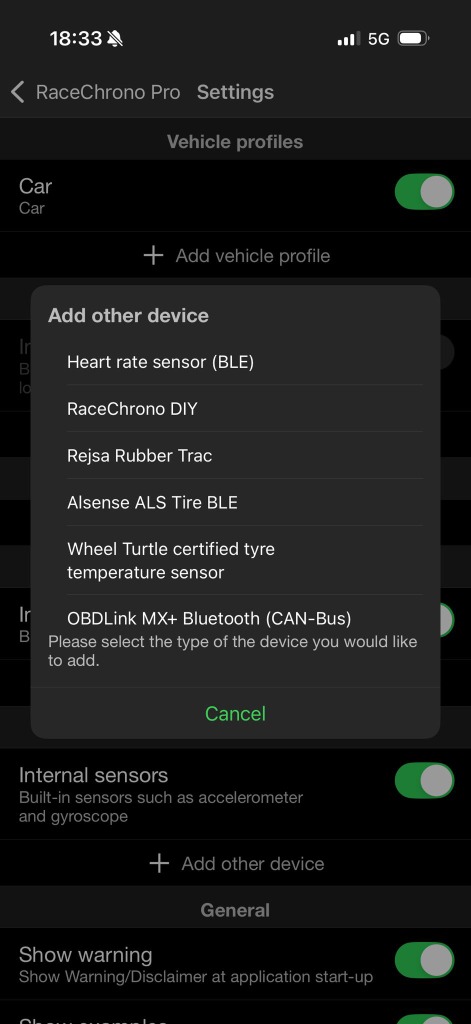
Select RaceChrono DIY.
Step 4
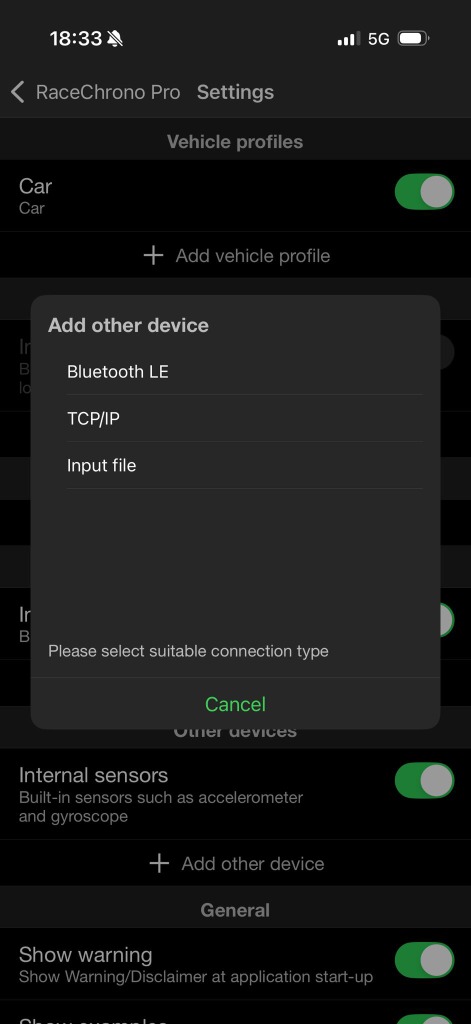
Select Bluetooth LE.
Step 5
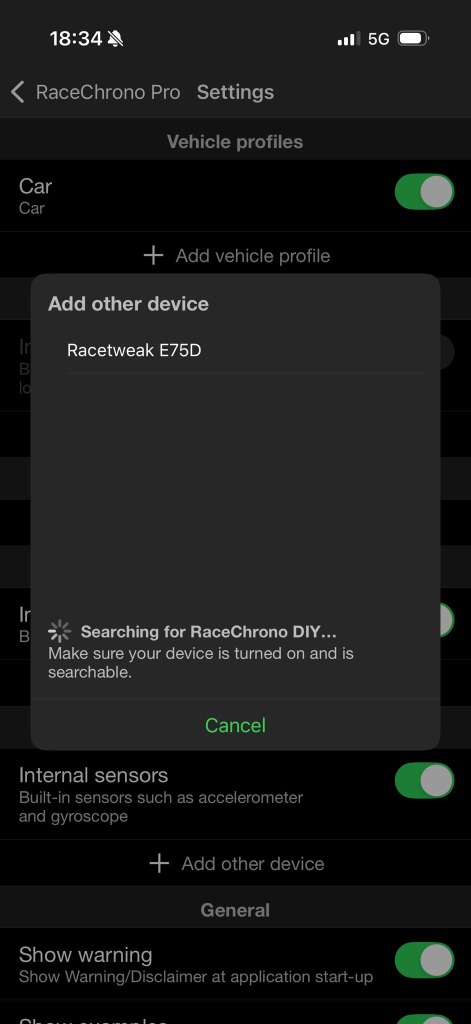
Select Racetweak E75D.
Step 6
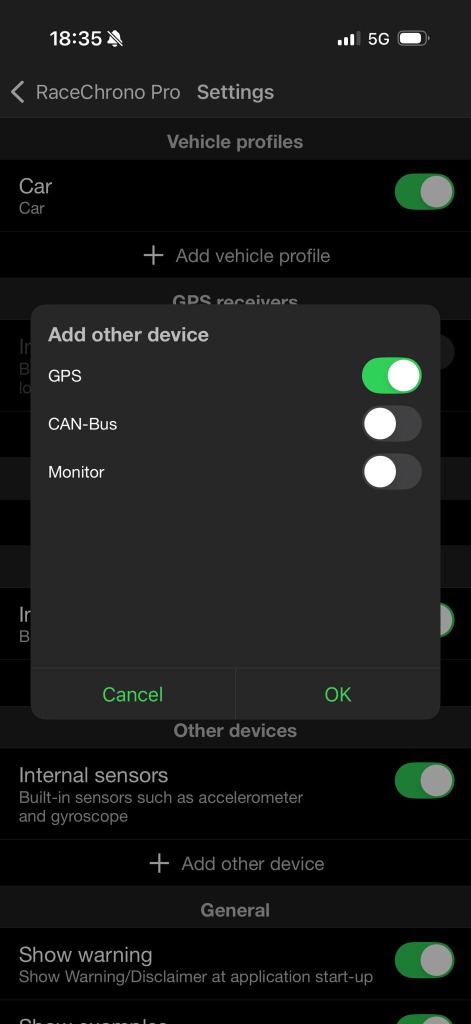
Switch GPS on.
Step 7
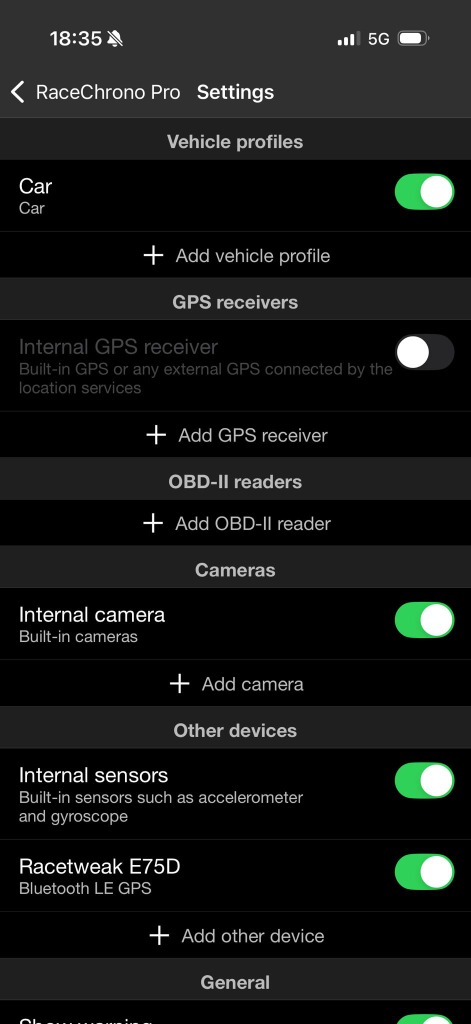
Switch Bluetooth LE GPS on.
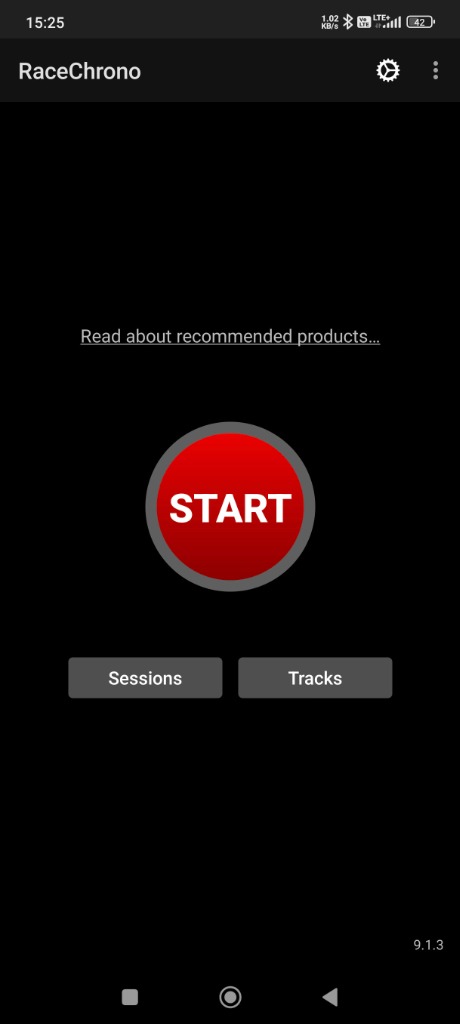
Step 1
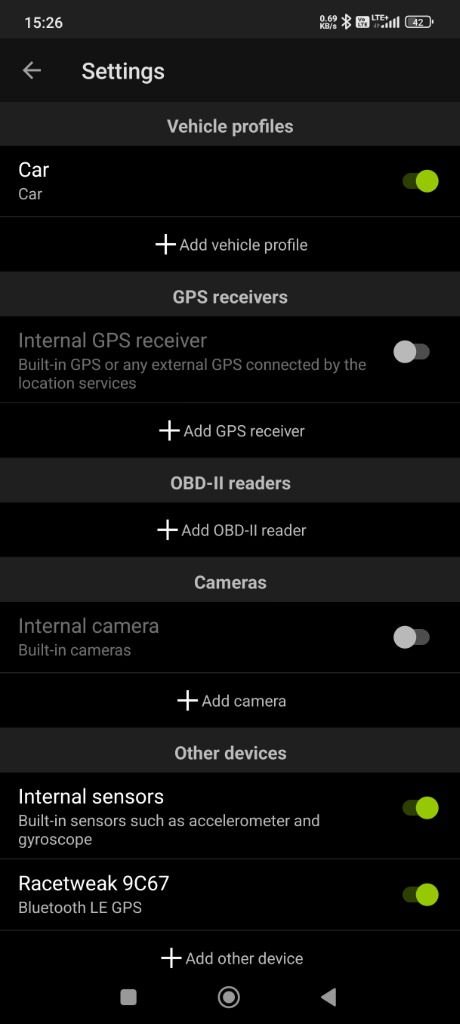
Open RaceChrono and go to Settings.
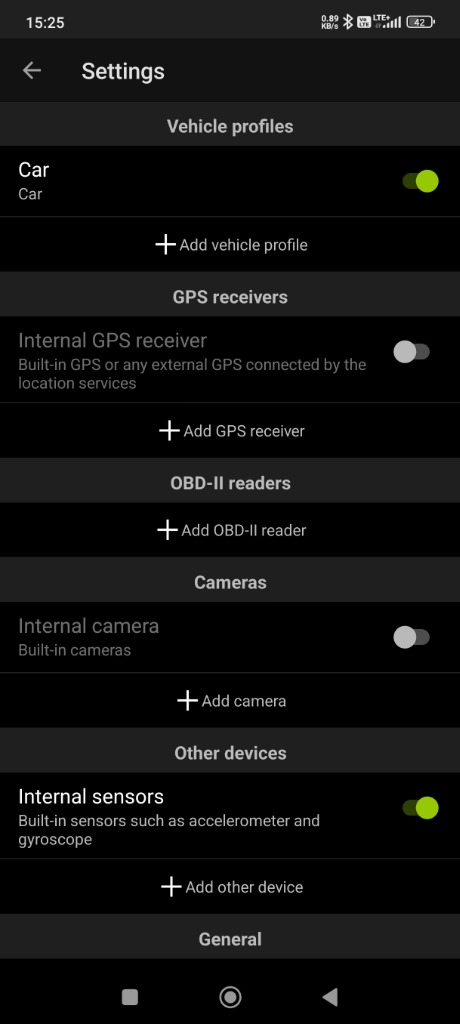
Step 2
Tap Add other device.
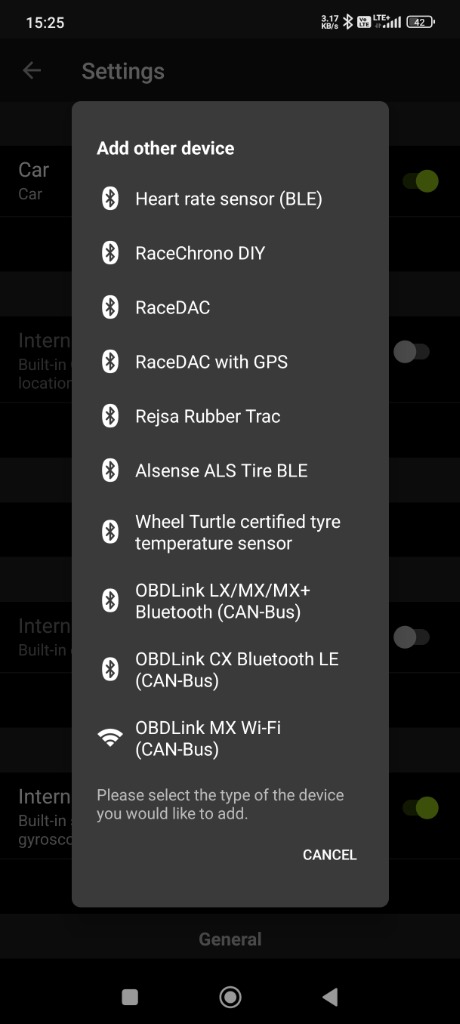
Step 3
Select RaceChrono DIY.
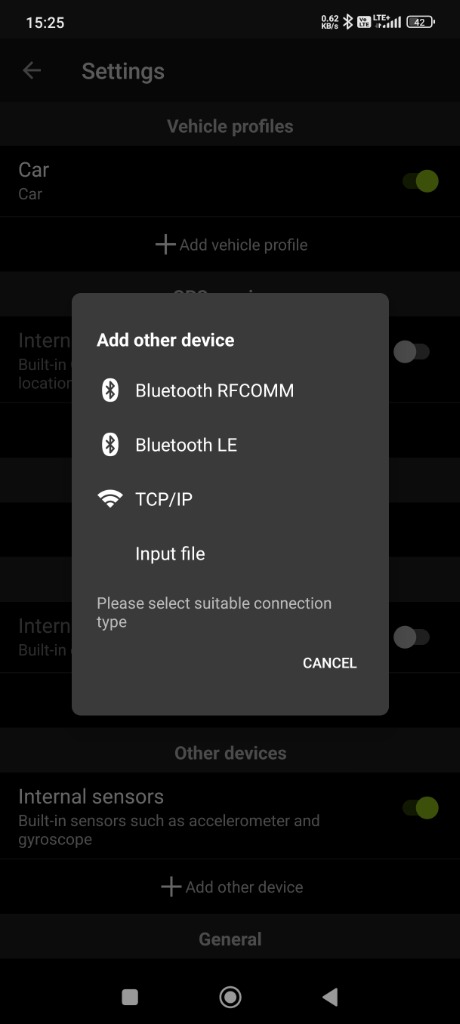
Step 4
Select Bluetooth LE.
Step 5
Select Racetweak E75D.
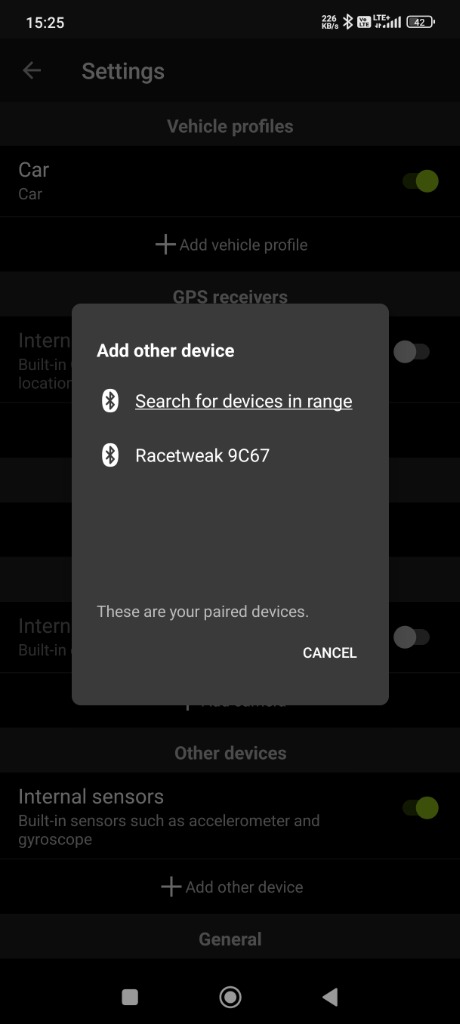
Step 6
Switch GPS on.
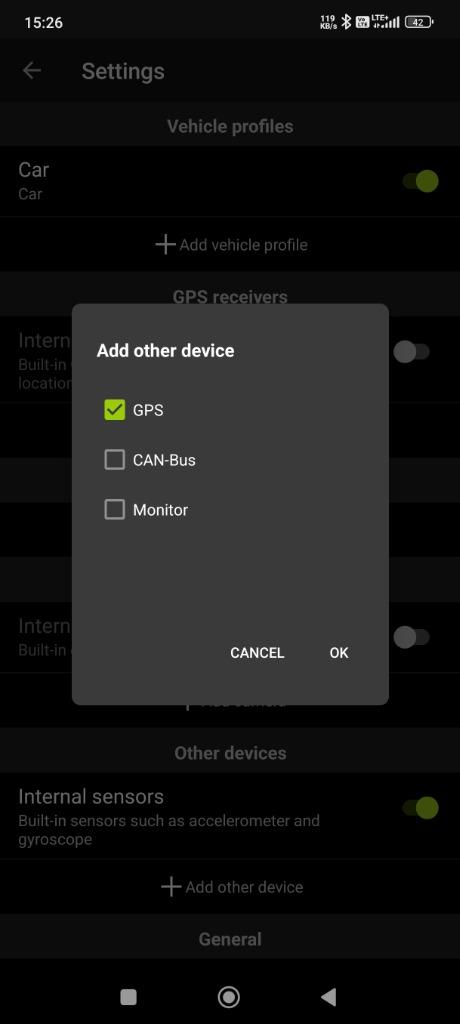
Step 7
Switch Bluetooth LE GPS on.